10 Editable KDP Cover Canva Templates to Elevate Your Kindle Publishing Game
In the competitive world of Kindle Direct Publishing (KDP), your book's cover is more than just a visual element—it’s your first impression. Studies suggest that up to 50% of potential readers decide whether to click on a book based solely on its cover. This makes choosing the right design not just important, but essential. Enter the Vintage KDP Covers Kit, a powerful resource for authors and creators looking to stand out in the crowded KDP marketplace.
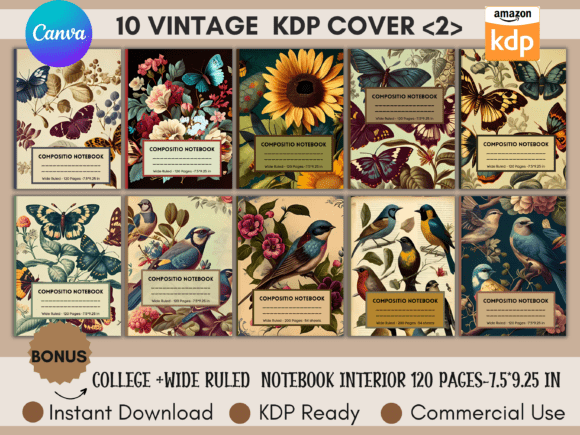
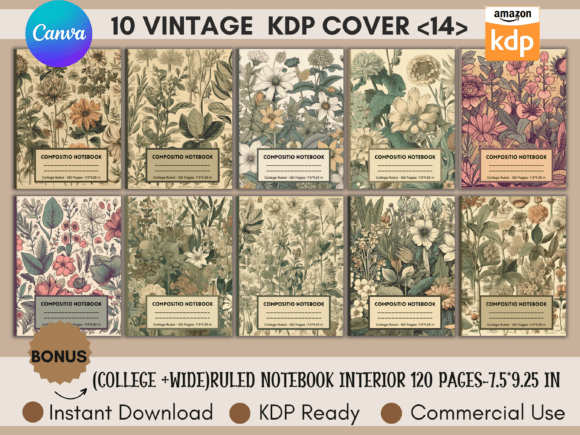
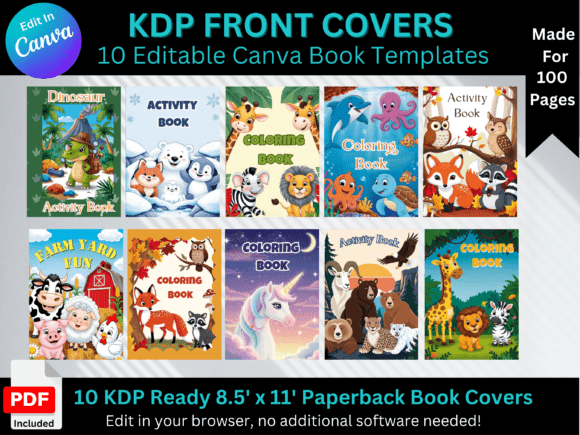
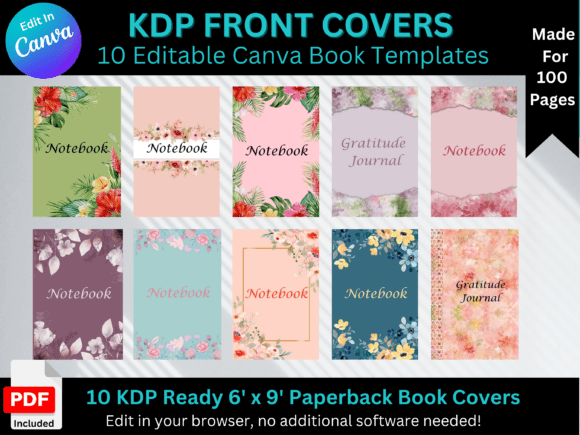
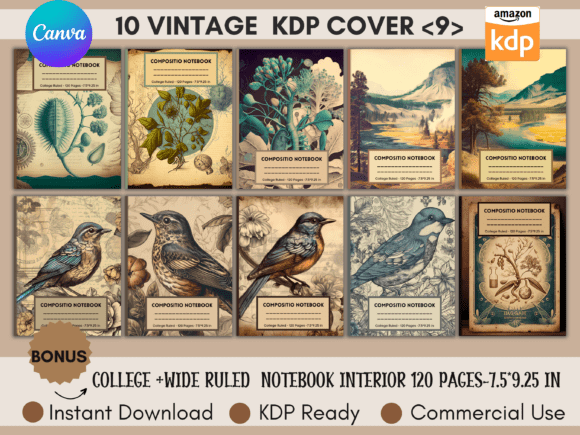
The Vintage KDP Covers Kit features 10 editable Canva templates designed specifically for KDP publishing. These templates are ideal for various genres and formats, with a special emphasis on notebooks due to their practicality and appeal. Whether you're launching a new planner, journal, or fitness guide, these covers offer a professional look without the need for advanced graphic design skills.
Understanding the Two Modes: KDP Ready and KDP Custom
The kit provides two distinct modes—KDP Ready Mode and KDP Custom Mode. Each offers unique advantages depending on your specific needs and goals as an author.
KDP Ready Mode is perfect for those who want a streamlined process. It includes pre-sized templates measuring exactly 7.5 x 9.25 inches, which are the standard dimensions required by Amazon for KDP books. With this mode, you can download the template, make quick edits, and upload it directly to your KDP account within minutes. This efficiency is a game-changer for authors who want to get their books listed quickly without compromising on quality.
As a bonus, the kit also includes two PDFs containing 120 pages of college-ruled notebook interiors in the size 7.9 x 9.25 inches. This makes it easy to create complete notebook products from start to finish, ensuring consistency and professionalism across all elements of your publication.
KDP Custom Mode gives you even more flexibility. While the base templates are sized at 7.5 x 9.25 inches, they can be easily adjusted to other popular KDP sizes such as 8.5 x 11 inches, 6 x 9 inches, and more. This allows you to tailor your cover to match the exact specifications of your project, whether you're creating a larger format book or a smaller, more compact product.
Why the Vintage KDP Covers Kit Stands Out
What sets the Vintage KDP Covers Kit apart is its versatility and attention to detail. The designs are inspired by vintage aesthetics, offering a timeless look that appeals to a wide range of audiences. From soft pastel colors to elegant fonts, each template is crafted to evoke a sense of nostalgia while maintaining a modern, clean appearance.
These templates are particularly well-suited for niche markets like planners, journals, fitness guides, wedding organizers, baby books, travel logs, pet care manuals, wellness guides, architecture portfolios, pregnancy journals, and cookbooks. The ability to customize the color schemes, typography, and imagery ensures that your cover reflects the unique personality and content of your book.
Moreover, the high-clarity design of the templates ensures that your cover looks sharp and professional, regardless of the device or screen size it's viewed on. This is especially important in today's digital age, where potential readers may browse listings on everything from smartphones to large desktop monitors.
How to Use the 10 Editable KDP Cover Canva Templates
Using the 10 editable KDP cover Canva templates is straightforward, even for those with no prior experience in graphic design. Here’s a step-by-step overview of how to get started:
- Download the Templates: Begin by downloading the templates from the Vintage KDP Covers Kit. These files are compatible with Canva, making it easy to open and edit them using the platform.
- Edit the Design: Once you’ve opened the template in Canva, you can customize it to suit your book’s theme and content. Change colors, add text, insert images, and adjust layout elements to reflect your brand or message.
- Choose the Right Size: Depending on whether you’re using KDP Ready Mode or KDP Custom Mode, select the appropriate dimensions for your cover. Ensure that your final design meets the specific requirements of KDP to avoid any issues during the upload process.
- Export and Upload: After editing, export your final cover in the correct file format and resolution. Then, upload it to your KDP account and continue with the rest of the publishing process.
With these simple steps, you can transform a basic template into a visually stunning cover that captures the essence of your book and attracts the attention of potential readers.
Maximizing the Benefits of the Vintage KDP Covers Kit
To fully leverage the benefits of the Vintage KDP Covers Kit, consider the following tips and recommendations:
Know Your Audience: Understanding your target audience is crucial when designing your cover. Think about what visuals and colors would resonate most with your readers. For example, a fitness guide might benefit from bold, energetic colors, while a pregnancy journal could use softer, more calming tones.
Stay Consistent: If you're planning to publish multiple books or products, maintain a consistent visual style across all covers. This helps build brand recognition and makes your work more recognizable to readers.
Test Different Designs: Don’t be afraid to experiment with different variations of the same template. Try out various fonts, color combinations, and layouts to see what works best for your content and audience.
Use High-Quality Images: When adding images to your cover, ensure they are high-resolution and relevant to your book’s theme. Blurry or low-quality images can detract from the overall professionalism of your cover.
Optimize for Searchability: While the focus is on the visual aspect of your cover, don’t forget about SEO. Include keywords related to your book’s topic in the title and description to improve its visibility in search results.
By following these guidelines, you can maximize the impact of your cover and increase the chances of your book being discovered by the right audience.
Final Thoughts on the 10 Editable KDP Cover Canva Templates
The 10 editable KDP cover Canva templates included in the Vintage KDP Covers Kit are more than just design assets—they’re powerful tools that can help you elevate your publishing efforts. Whether you're a first-time author or an experienced writer looking to expand your portfolio, these templates provide the flexibility, creativity, and professionalism needed to succeed in the KDP marketplace.
With the right design, your book has the potential to stand out among millions of listings and attract the attention of readers who are searching for something truly unique. The Vintage KDP Covers Kit empowers you to do just that, giving you the confidence to create covers that are not only beautiful but also effective in driving engagement and sales.